Start with the task
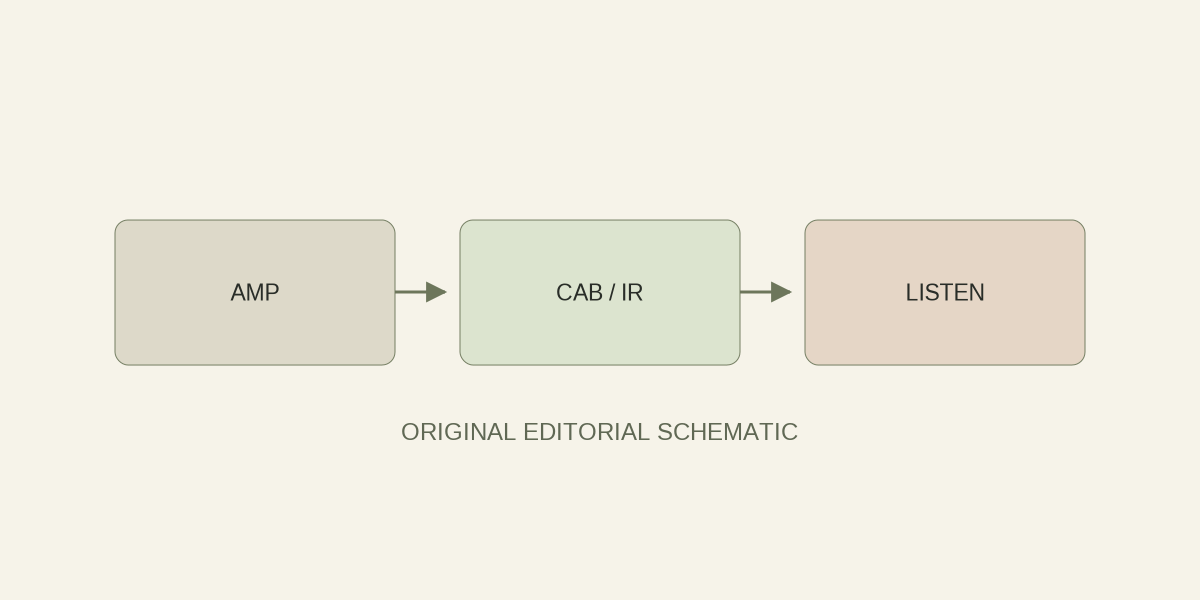
A guitar cabinet IR is used by a compatible processor to reproduce a captured cabinet-and-microphone response. Check whether your preset already provides that stage before adding another loader. For an ordinary direct amp-sim route, compare the built-in cab stage with one supported external IR stage. A cabinet IR is not an amplifier speaker load.
Find the cabinet stage already in the route
An amp model and a cabinet stage have different jobs. In Neural DSP’s documented plugin layout, the amp section is separate from the cabsim section, which also accepts external IRs. That is a useful named example when reading another plugin: find the actual modules and their bypass controls rather than assuming every preset is arranged the same way.
Write down what reaches your headphones. A dry interface feed, the monitored track and another guitar bus can coexist. A change heard while two routes are playing is hard to assign to the IR. Resolve that first with the direct and software monitoring guide.
Sources: Neural DSP: cabinet section and external IR controls
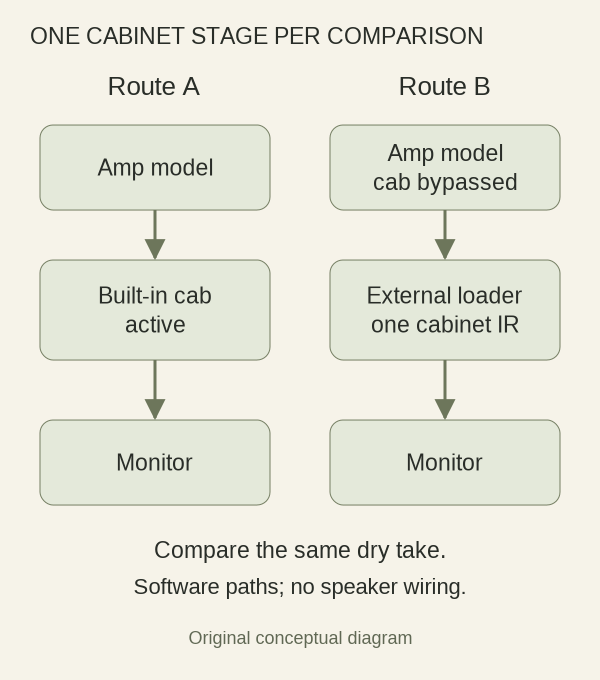
Compare two complete software routes
| Route | Amp stage | Cabinet stage |
|---|---|---|
| A: integrated plugin | Amp model active | Documented built-in cabinet module active |
| B: external loader | Amp model active; its cab bypassed | One supported external cabinet IR loader |
These are starting comparisons for a direct recording path, not rules for every creative preset. First save the working preset. In route B, use the amp-only or cab-bypass function documented by the amp software; do not assume the whole plugin bypass preserves its amp stage. Put the separate loader after that amp stage and confirm the output reaches the same listening destination.
Two serial cabinet stages may be an intentional effect, but that route answers another question. If you are trying to replace the cabinet sound, keep a note of which stage was removed and which one replaced it. A preset name or a second plugin window does not establish the active signal path.
Read the file and the controls together
Keep the IR’s source, filename and stated capture beside the preset. Read the loader’s supported file type, sample rate, channel format and length before importing. An accepted file does not prove it describes the cabinet or microphone you expected.
In Neural DSP’s documented external-IR mode, the virtual microphone disappears and its position and distance controls are disabled. The capture is already part of that file; it is not equivalent to moving the plugin’s factory virtual microphone. Another loader may provide different processing, so use its own instructions.
Do not treat an ordinary cabinet IR file as a complete replacement for the amp model’s drive and controls. If a device combines amp and cabinet capture or additional processing, identify those features separately instead of transferring this simple file example to it.
Sources: Neural DSP: cabinet section and external IR controls
Compare the same dry take at a useful level
- Choose one clean, unclipped recorded guitar passage. Include a chord, single notes and a quiet ending.
- Keep the amp model, its input settings and other processing unchanged. Save route A and note the cabinet settings.
- Build route B using documented bypass and loader controls. Keep only that comparison route audible.
- Check meters at each stage. Reduce an overloaded stage before judging its sound; a later fader does not undo earlier clipping.
- Compare recorded playback at similar listening volume, noting the adjustment. Then return to the original condition and check whether your preference repeats.
This is a suggested comparison, not a result from our listening room. If you change amp settings, the guitar take and the IR together, keep those changes with the conclusion. Use the clipping guide if the raw track or a processing stage already distorts.
Use symptoms to choose the next check
| Observation | Next check |
|---|---|
| Cabinet change seems to do nothing | Correct bus, bypass state and which route is audible |
| The new result is quieter | Output trim and playback comparison level |
| Changing virtual mic position has no effect | Whether an external IR mode disables that control |
| Sound is unexpectedly filtered | Other cabinet stages, EQ and parallel processing |
| Dry sound remains beside the amp sound | Direct monitoring and duplicate monitored tracks |
These checks locate questions; they do not diagnose a plugin from a written description. Keep the exact preset and route when asking the software maker for help.
Keep cabinet processing separate from speaker connections
The diagrams describe audio inside software. An IR file or ordinary loader does not supply the electrical load required by an amplifier speaker output. Connecting a physical amplifier needs an arrangement expressly supported by its manual and the receiving equipment.
For a supported return from a recorded dry track to an amplifier input, use the reamping workflow. For this software comparison, save the amp stage, cabinet stage, IR identity and listening-level adjustment together. That record makes a preferred setting reproducible without turning a file choice into a universal tone ranking.
Download the blank record (English CSV). The fields are empty; the sheet contains no site test results.
How this guide was prepared
AI-assisted documentation review of Neural DSP’s cabinet-module, external-IR and monitoring controls, checked on 26 November 2026. The routing comparison, symptom questions and worksheet are editorial proposals. No plugin, cabinet, microphone or amplifier was tested, and no human technical review is claimed.
Documentation checked .