Start with the task
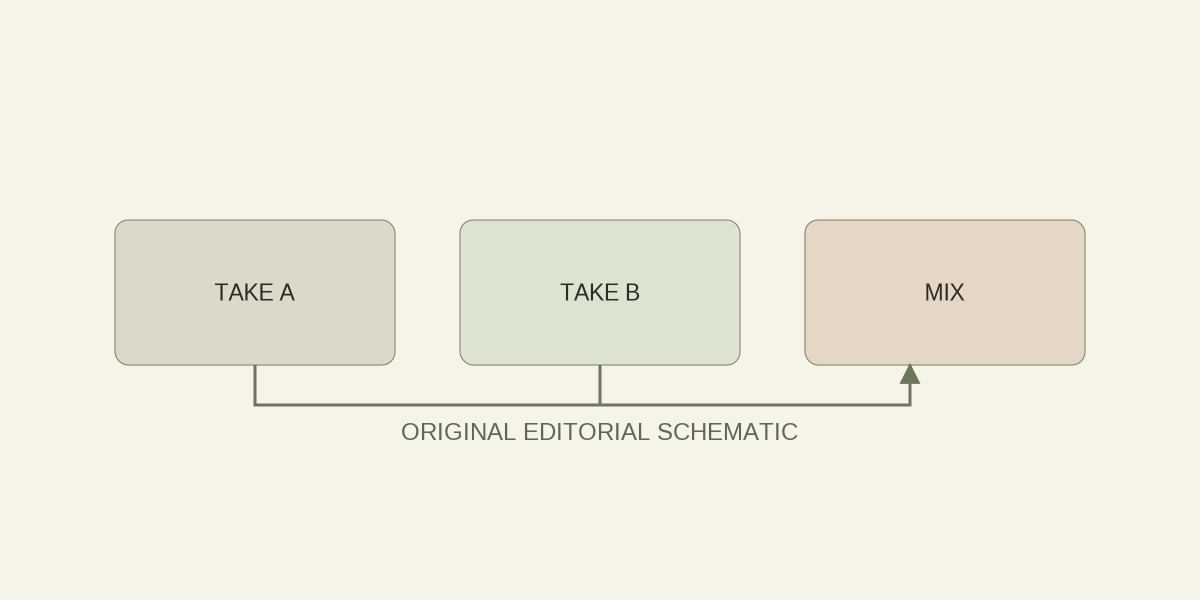
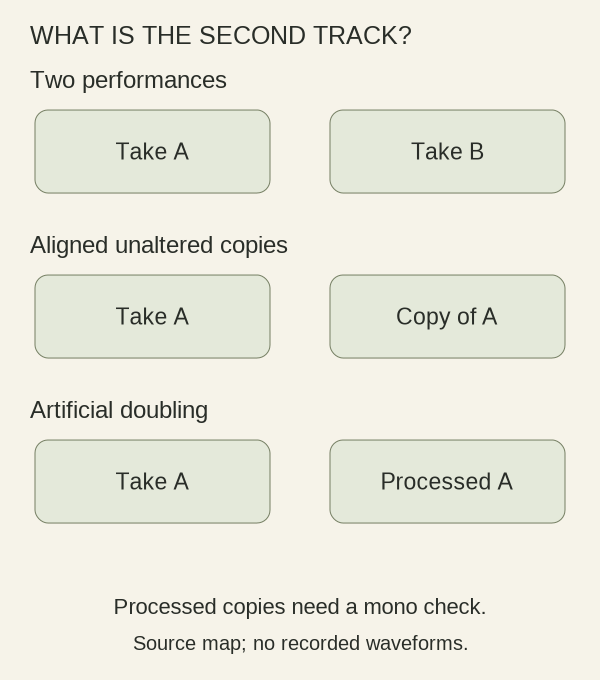
True double tracking records another performance of the same part and layers it with the first. Copying the same unaltered, time-aligned file is still one performance. Delay or modulation can create an artificial doubling effect, which is a different choice. Compare the timing, balance and mono result before keeping a wider guitar arrangement.
Name what the second track contains
iZotope defines double tracking as recording the same part again and layering it with the original. The second performance supplies another set of attacks, note endings and playing variations. It is not necessary for every passage or arrangement; decide what musical part needs the additional layer.
| Second source | What changed | What to check |
|---|---|---|
| Another performance | The player performed the passage again | Timing, tuning, articulation and balance |
| Unaltered aligned copy | Another route for the same samples | Level, routing and any unexpected processing |
| Delayed or modulated copy | Processing makes the copy different | Stereo effect and mono behaviour |
In the copied-file case, left and right receive the same aligned signal if no processing or gain difference is introduced. Panning those copies does not manufacture a second performance. Once you delay, detune or otherwise process one copy, identify that change instead of calling the route an unaltered duplicate.
Prepare a part you can repeat deliberately
Choose a short rhythm part with a clear start, a sustained chord and a deliberate ending. Tune the guitar and keep the backing track or click audible enough to follow without raising the listening level unnecessarily. Record the guitar, tuning, pickup, sound and tempo.
For the first comparison, keep the part and sound reasonably consistent so that you can hear timing and articulation. Different guitars or amp settings may later be useful creative choices, but changing all of them immediately makes the reason for a difference less clear.
Check the monitoring route before recording. Hearing a dry direct feed beside a software amp is a live-monitoring issue, not evidence that two takes have been captured. Use direct versus software monitoring to resolve that separate question.
Record two takes and inspect the musical transitions
- Record take A of the short part. Listen back for the intended notes, timing and ending.
- Record take B as another performance. Do not copy A into a second lane and label it a new take.
- Listen to each take separately, then together. Check chord changes, low-note attacks and the point where both performances stop.
- Choose sensible pan positions for the arrangement and compare the balance. There is no requirement that every guitar layer sit at the extremes.
- Return to one take, then to the pair at a comparable playback level. Decide whether the layer helps the complete part.
Do not edit every visible waveform difference solely because it is different. Resolve mistakes that distract from the music, while judging the result in context. If the raw recording clips, correct that before using more layers to hide it; the recording-level guide separates input clipping from playback level.
Treat artificial doubling as another arrangement option
iZotope demonstrates delay and modulation on a duplicated guitar track as a way to create a double-like effect. It also warns that such widening treatments are not necessarily mono compatible. The example is a processing option, not proof that copying an untreated file creates width.
If only one performance is available, save it unchanged and try a supported doubler or a separately processed copy. Record the route and settings. Do not stack several widening stages before finding out which one supplies the change you want.
A fixed delay in one path may alter the combined frequency response when channels are mixed. There is no universally safe delay value for every source and arrangement. Read the processor’s mono and stereo behaviour, then use the actual part to check the result.
Sources: iZotope: artificial doubling and checking the mono mix
Check both stereo placement and the mono sum
Use the DAW or monitor system’s documented mono control; removing a headphone earcup is not a test of the left-plus-right sum. Compare at a modest listening level and note any gain difference introduced by the monitoring mode.
| Check | Question |
|---|---|
| Each take alone | Are the intended notes and endings present? |
| Both in stereo | Does the placement support the arrangement? |
| Both in mono | Does the combined guitar remain useful? |
| Full mix | Do attacks, space and balance still work? |
If the mono result changes in an unwanted way, compare the unprocessed source and the layered route one change at a time. A smaller stereo image in mono is expected; an objectionable tonal loss still deserves a routing or processing check. No mono comparison is reported as completed here.
Keep the layer for a named musical reason
End the record with a concrete decision: the two performances support this chorus, one take suits this verse, or the artificial effect needs another mono check. More tracks do not automatically make a stronger arrangement.
For practice on the articulation that starts and stops a rhythm part, use the palm-muting exercise. For the separate use of repeated echoes, see the delay guide. Keep the performance, routing and effect choice as distinct decisions.
Download the blank record (English CSV). The fields are empty; the sheet contains no site test results.
How this guide was prepared
AI-assisted review of iZotope’s overdubbing definition and guitar delay/doubling examples on 26 November 2026. The copied-file distinction follows the stated case of identical, aligned audio with no different processing. The track diagrams and proposed comparison are original editorial aids. No audio audition or human technical review is claimed.
Documentation checked .