Start here
First locate the noise, then decide which signal the gate should reduce. A gate can attenuate a signal below its operating threshold; it does not repair the source of hum or guarantee silence while notes pass. Set the controls with your softest intended notes and longest tails, following the exact pedal’s instructions.
Separate the noise from the musical task
Compare the simplest working rig with the complete board. Note whether the symptom is hum, hiss, mechanical buzz or an unstable acoustic howl. Keep instrument and amp settings consistent while adding one documented connection at a time.
The hum-check guide helps locate a repeatable change. Use that record before treating a gate as the solution to every noise. Noise that remains audible while the gate is open needs its own investigation.
Sources: BOSS: NS-2 routing, Threshold and Decay; BOSS: gate and suppressor overview
Find the gain stage before choosing a position
| Noise appears at | Question to answer | Condition |
|---|---|---|
| Drive pedals | Can attenuation follow the noisy stage? | Check the selected pedal’s routing |
| Amplifier preamp | Is the documented FX loop suitable? | Check send level and return requirements |
| Several stages | Does the gate offer a separate detection or loop route? | Use its exact diagram; identify every jack |
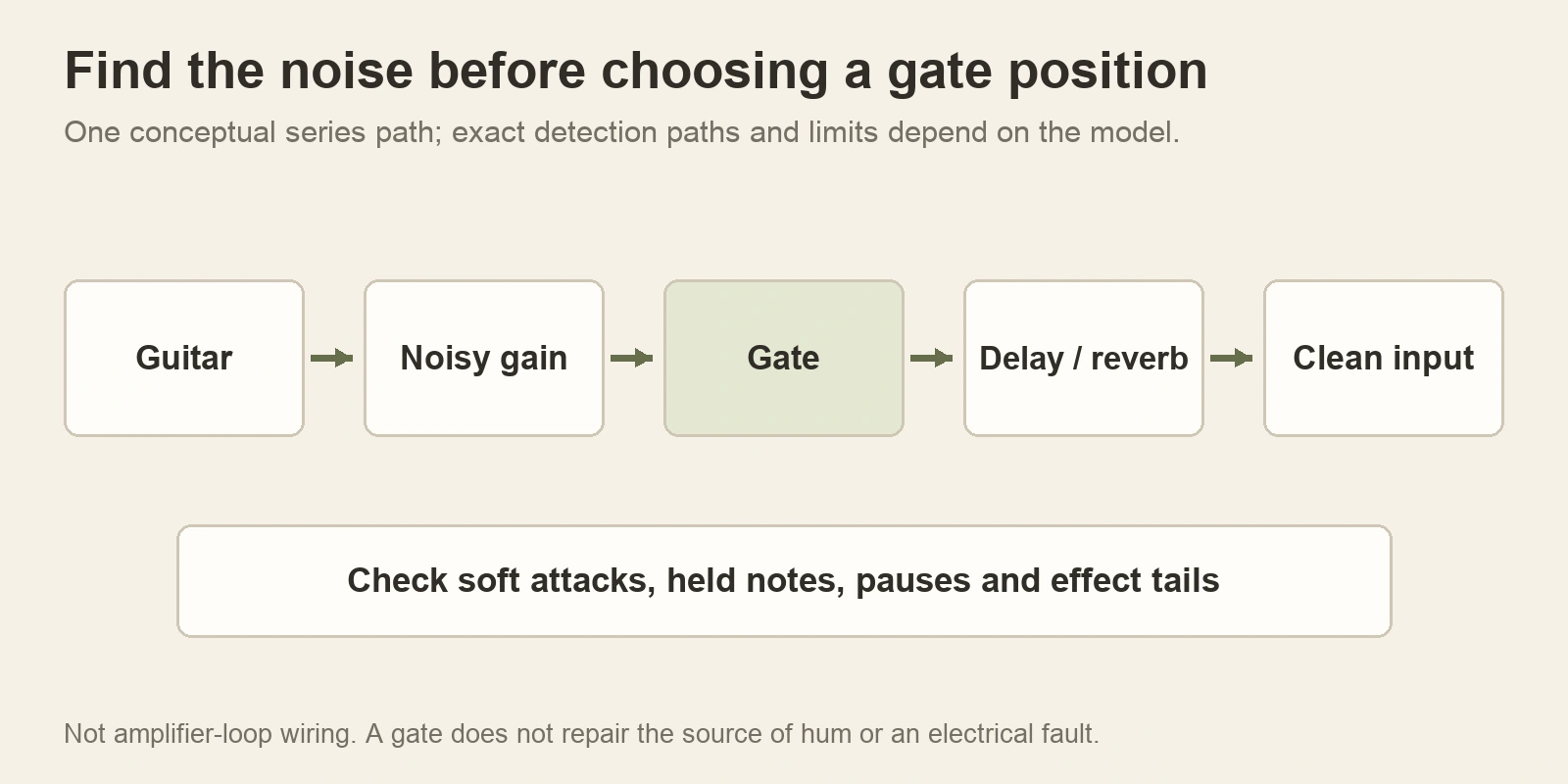
BOSS describes placing an NS-2 after distortion, using its Send/Return path, and placing delay or reverb after its Output to preserve their fading sound. These are documented options for that pedal, not a connection recipe for every gate.
For an amplifier loop, verify both the amp’s routing and the pedal’s signal limits before connecting. Keep required amplifier loads in place. The pedal-order guide identifies the amp preamp as a gain stage too.
Sources: BOSS: NS-2 routing, Threshold and Decay; BOSS: gate and suppressor overview
Connect one documented NS-2 pedal loop
This example puts compatible drive pedals inside a BOSS NS-2 loop and keeps delay outside it. It uses the amplifier’s normal guitar input, not its FX loop. Turn down the volume and switch the units off before connecting, as the NS-2 manual instructs. Check each pedal’s supply and connection requirements.
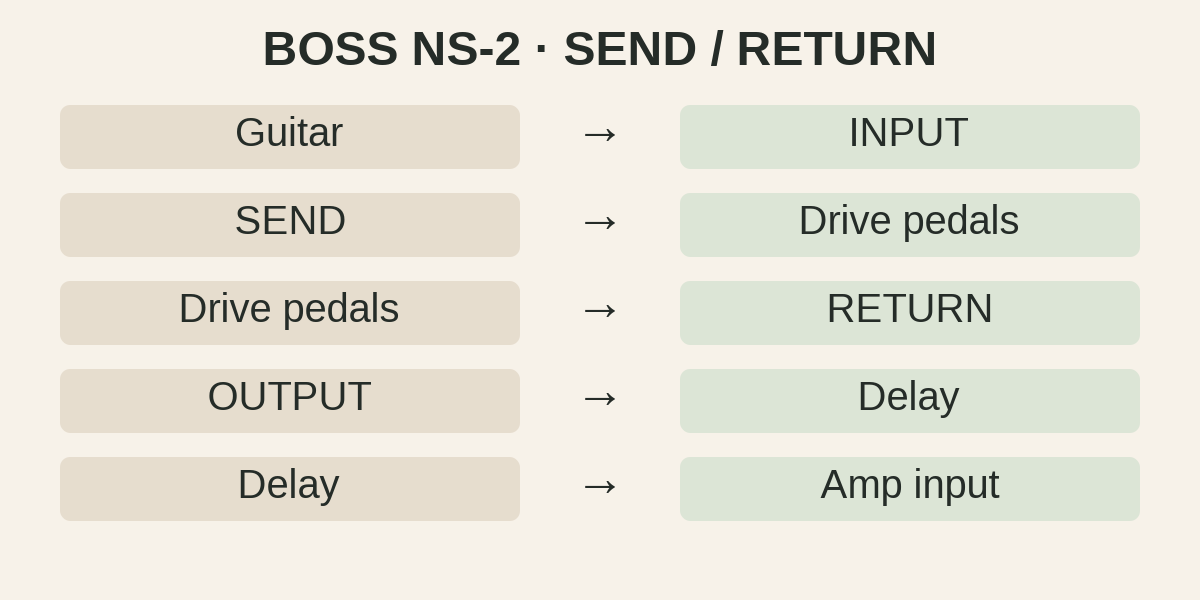
- Guitar output → NS-2 INPUT.
- NS-2 SEND → drive input; the last drive output → NS-2 RETURN.
- NS-2 OUTPUT → delay input; delay output → amplifier guitar input. Omit the delay by connecting OUTPUT directly to the amp input.
- Use REDUCTION mode and identify the active reduction state from the manual. Compare a pause, a quiet note and a sustained ending before increasing the threshold.
The manual describes detecting the instrument separately from noise introduced by effects between SEND and RETURN. Delay after OUTPUT can continue its repeats when the source is reduced. Noise created later in the amplifier is outside this pedal loop; a silent pause here does not prove the whole rig is quiet.
If the example does not behave as intended
| Symptom | Next check |
|---|---|
| No sound | Check INPUT/OUTPUT and SEND/RETURN against the route; confirm power and whether MUTE is selected. |
| Soft notes disappear | Lower the threshold and repeat the softest passage. If it still cannot pass cleanly with useful noise reduction, reconsider the source noise and required gain. |
| Held notes end abruptly | Check the threshold first, then lengthen NS-2 Decay as its manual directs. Keep delay/reverb outside the loop when their tails should continue. |
Sources: BOSS NS-2 owner’s manual
Set threshold and decay with the actual part
On the NS-2, BOSS describes Threshold as the closing-level control and Decay as how quickly closure occurs. Other pedals may name or implement related controls differently. Read the chosen model’s active mode and indicator behaviour first.
At a modest listening level, compare pauses with your softest intended note. Adjust according to the manual until the transition serves the part. Then hold a note and check the tail. A setting that quiets a pause can also interrupt a quiet attack or fading note; more reduction is not automatically more useful.
Check note and effect tails separately
| Passage | Listen for |
|---|---|
| Soft single note | A complete, reliable attack |
| Held note | The intended sustain and ending |
| Rest with strings muted | Remaining noise and abrupt switching |
| Delay or reverb tail | Whether the desired fade remains audible |
Keep the normal drive and guitar-volume settings for this proposed check. If you change them for another passage, repeat the observation. Avoid tuning the gate using only a hard-picked riff when the song also contains quiet lines.
Decide whether delay repeats and reverb should survive after the played note ends. If they pass through the controlled path, they may be shortened too. The FX-loop guide helps when the remaining issue is routing or missing signal.
Sources: BOSS: NS-2 routing, Threshold and Decay; BOSS: gate and suppressor overview
Keep a gate-setting record
Download the blank comparison record (English CSV). Record the gate model and mode, source of noise, audio and detection paths, input conditions, control settings and the passage used. Describe what improved and which quiet notes or tails remain compromised.
Keep bypass behaviour separate from the active result. A manufacturer’s noise-suppression description is not our measured result. Preserve electrical safety grounds and seek qualified help for a hardware fault; a gate does not make faulty equipment safe.
How this guide was prepared
We checked BOSS’s NS-2 routing and Threshold/Decay explanations and its broader gate/suppressor overview. We separated the controlled audio path from the detection question and designed a proposed quiet-note, sustain and pause check. Brand-specific operating modes remain specific to their models. The November 25 revision also checked the NS-2 owner’s manual for jack roles, modes, Decay and the illustrated pedal loop. The connection and symptom checks are documentation-based editorial instructions, not a hardware trial.
Documentation checked .
Added a documented NS-2 connection example, localized routing diagram and symptom-based checks; added contextual incoming links.