The decision in brief
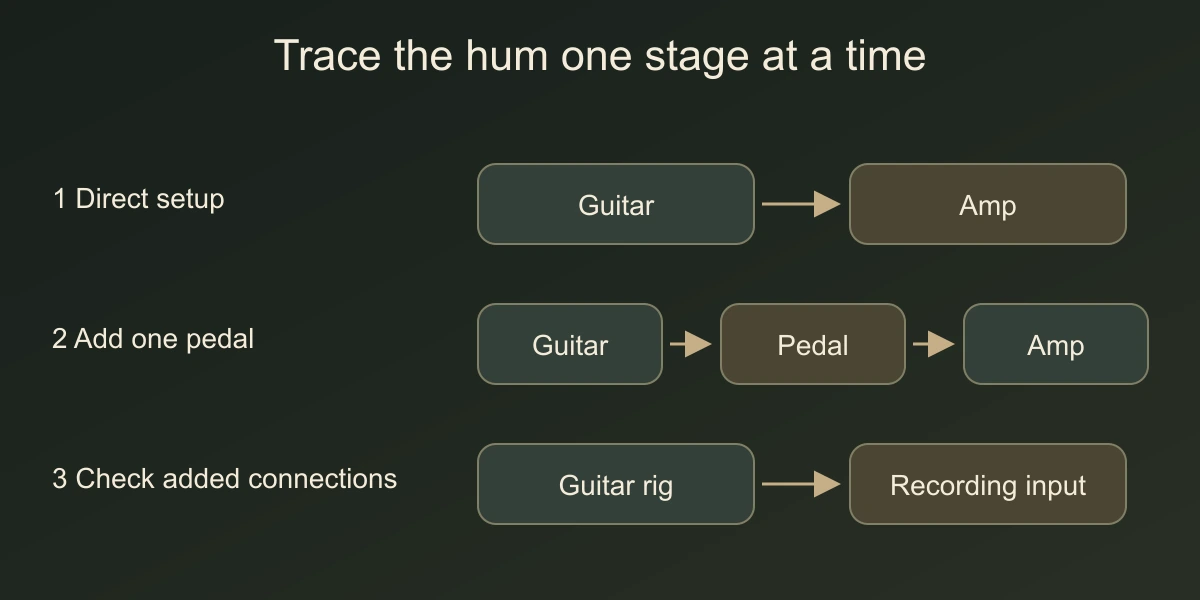
Plug your guitar straight into a clean amp with one known working instrument cable. If you hear the hum there, compare pickup positions, your direction in the room and a second cable. If the hum appears only when you reconnect something, add the pedals and recording connections back one at a time. The first repeatable change tells you where to look next.
Start with the shortest working setup
Mute the amp or turn its volume down before reconnecting. Use a guitar, a known working instrument cable and the instrument input on a clean amp. Take the pedalboard and recording connections out of the signal path. Keep the guitar volume, pickup position and amp settings consistent. Play a note to confirm that the path works, then mute the strings and listen.
Write down the pickup position, where you are standing and when the sound occurs. A rattle you hear from the guitar while unplugged is a different observation. If it follows particular fretted notes, use the fret buzz guide to record it. For an amplified hum, follow the signal path and change one part at a time.
Ott’s interference model separates the source, the path it travels and the circuit that receives it. In a guitar rig, a nearby device can be the source while a pickup receives the interference. An added connection can also introduce a new path. The direct setup gives you a reference for either possibility.
Sources: Henry W. Ott, Electromagnetic Compatibility Engineering, §§1.12–1.13
Check pickup position, direction and the cable
With the direct setup still connected, turn slowly in place and listen for a change. Return to your original position before comparing pickup settings. A change with orientation or pickup selection gives you a reason to investigate pickup interference. Some single coils are sensitive to nearby electromagnetic fields. A humbucking position can reduce some of that interference, and different switch positions may select different coils. Check the guitar’s switching diagram if you are unsure.
Try a second known working instrument cable with the same settings. If swapping the cable changes the result, return to the first cable once to see whether the symptom returns. Record intermittent crackle or loss of signal separately from steady hum. If you need a different cable for normal use, the instrument cable guide explains what to compare.
Sources: Fender on electromagnetic interference and humbucking pickups; Henry W. Ott, Electromagnetic Compatibility Engineering, §§1.12–1.13
Add back pedals and recording connections
Add one pedal with its audio leads and a power output that meets its documented requirements. Compare its bypassed and engaged states at a comparable listening level. A drive setting can make existing noise easier to hear, so keep a note of the gain. If the symptom first appears at this stage, test that pedal on its own before adding the rest. Use the pedal power guide to check voltage, polarity, AC or DC, and current requirements.
If a second audio device brings the hum back, write down the exact ports and connections that joined the two devices. A ground loop is one possibility when the added audio connection gives current another route between equipment grounds. Check the manufacturers’ instructions for the intended inputs, outputs and any supported audio isolation. Keep all mains safety grounds intact. If the rig gives you a shock or tingle, stop using it and have it checked by a qualified technician.
Once you have located the noise, the noise-gate connection example explains what can be reduced during pauses and which later noise remains outside that route.
Sources: Rane Technical Staff on audio interconnection and protective grounding
Use the first repeatable change to choose the next check
| What you hear | What to compare next |
|---|---|
| Hum changes as you turn with the guitar connected directly. | Repeat the same movement in one pickup setting, then compare pickup settings from the same position. |
| The direct setup is quiet enough for your use, and hum appears with one pedal. | Try that pedal by itself with its documented power and known working audio leads. Compare bypass and engaged. |
| Hum appears when a second audio device is connected. | Return to the previous routing, then restore the connection and record the exact ports involved. |
| Hum remains with the shortest path and a second known working cable. | If available, compare another guitar with the same amp settings. Give a technician the exact conditions that reproduce it. |
When a change appears to help, restore the previous setup and check whether the hum returns. Keep the observation with its settings and connections. That record will help you decide what to test or take for service.
How this guide was prepared
We read Ott’s noise-path and coupling sections and checked Fender’s description of pickup interference and Rane’s technical note on audio interconnection. The comparison sequence is an editorial procedure for a player’s rig.
Documentation checked .
Added a contextual link to the related worked guide; existing technical claims and source-check date retained.