The decision in brief
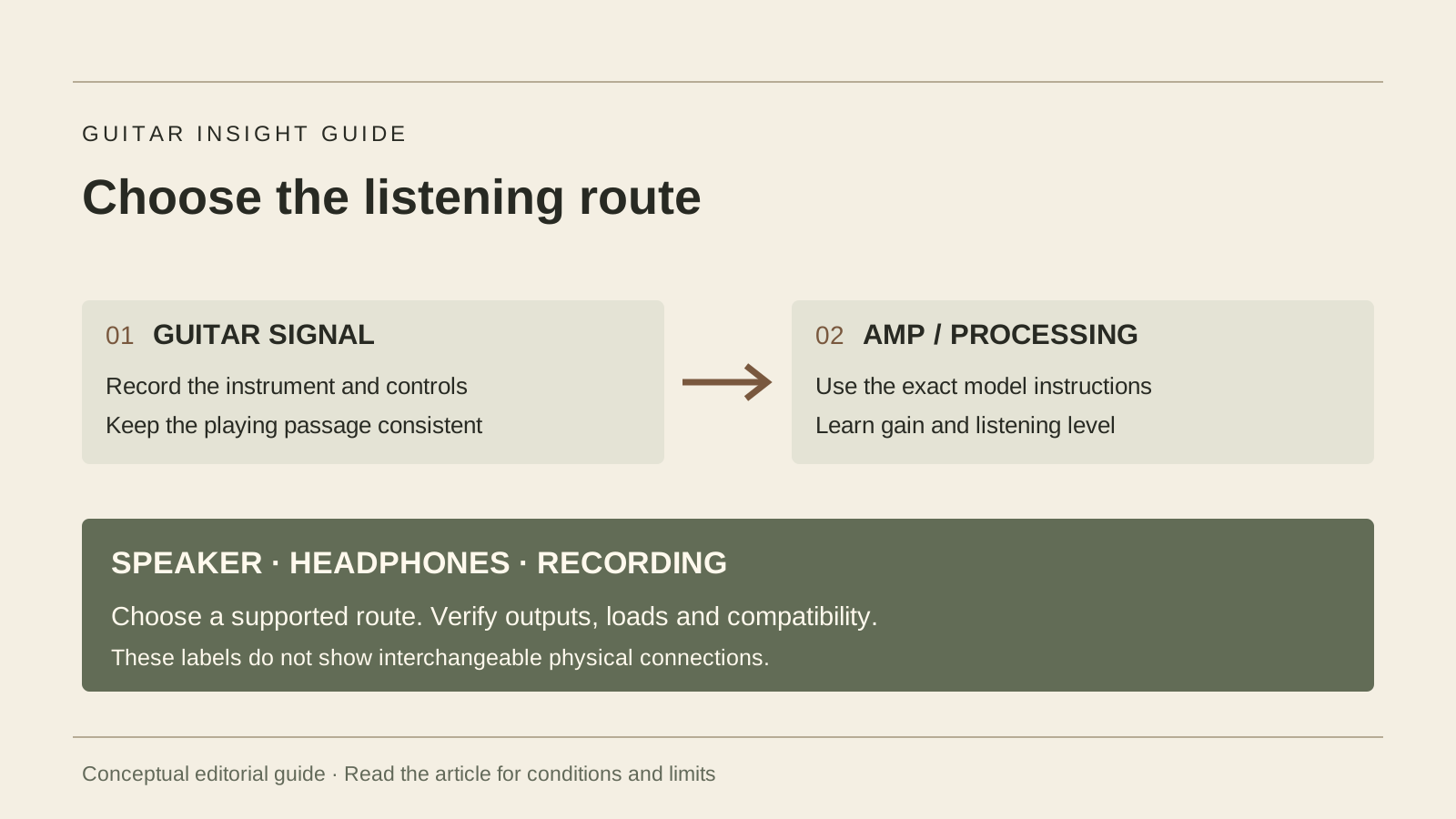
A guitar amplifier processes and amplifies the instrument’s signal for a suitable listening output. Start by choosing how you need to hear it: a room speaker, headphones or a recording system. Then check the controls, connections and sound at your actual practice level. Combo, head, tube, solid-state and modeling describe different features; a wattage or connector shape alone cannot establish whether the setup meets your needs.
The diagrams in this guide are original editorial concepts, not photographs, measurements or wiring instructions.
What matters most
- Choose the complete speaker, headphone or recording route you need.
- Read gain, level and output instructions for the exact model.
- Demonstrate essential connections and a usable setting before buying.
The amp and the speaker have different jobs
Think through the complete path: the guitar provides a signal, amplification and processing shape it, and a suitable speaker or headphone system makes it audible. A conventional combo houses the amplifier and speaker together. A conventional head is the amplifier unit, normally used with a compatible separate cabinet or an expressly approved load/output arrangement.
Check the manual before connecting a cabinet or operating a head without its usual speaker. Required load, speaker rating, cable type and permitted outputs depend on the equipment. Our speaker cable versus instrument cable guide explains why matching plug shapes is insufficient.
| Format / route | What to verify | Useful trial |
|---|---|---|
| Combo | Included speaker, controls and any headphone output | Play at the real room level |
| Head and cabinet | Complete approved speaker/load arrangement | Assess the actual paired equipment |
| Headphone or direct system | Powered listening route and any cabinet simulation | Use the intended headphones or recording path |
This guide concerns guitar listening systems. Match the equipment to the instrument; an acoustic-electric or bass can require a different input, speaker response and use case from an electric-guitar rig.
Sources: Fender: amplifier formats and intended use (manufacturer guide)
Keep Effects Send separate from Speaker Output
An effects send carries a signal to compatible effects equipment; a speaker output supplies power to an approved speaker load. Matching socket shapes do not make these connections interchangeable.
| Connection | Intended destination | Check before connecting |
|---|---|---|
| FX SEND | Compatible effects-device input | Documented signal level and receiving input range |
| FX RETURN | Receives the effects-device output | Return requirements and loop configuration |
| SPEAKER OUT | Approved speaker cabinet or expressly permitted load | Permitted impedance/load, power handling and speaker cable |
Orange’s support guidance routes SEND to the pedal input and the pedal output to RETURN. Its speaker instructions instead require a speaker cable and the correct cabinet load. Read your exact model’s manual before connecting; an ordinary pedal input is not a speaker load. An effects send also cannot power a passive cabinet.
For loop placement, read the effects-loop section of the pedal-order guide. If the rig includes wireless or digital monitoring, check the complete latency path separately.
Sources: Orange: separate speaker connections and effects-loop send/return roles
Use gain and volume as controls to investigate
Fender’s introduction separates preamp gain from overall listening level. Raising gain can change how hard a stage is driven and its distortion. A later level control can make a driven sound quieter, where the circuit provides that arrangement. Control names and their locations vary; one knob called Volume may also change the drive character.
For a concrete example, the 2024 KATANA-MINI manual describes Gain as adjusting distortion and Volume as adjusting volume. Use that named control description as an example, not a universal map of every amplifier.
Begin with the manual’s starting setup and a low output level. Play a clean chord or phrase, vary one control and listen. Try the gain sound you want, then bring the listening level back to the intended range. Leave effects off while learning the basic controls, then add the ones you need.
Sources: Fender: gain and volume as introductory control concepts; BOSS KATANA-MINI: 2024 owner’s manual and output behaviour
Separate the circuit label from the available features
Tube, solid-state, digital modeling and hybrid describe aspects of implementation. Combo or head describes packaging. An amp may combine technologies, and a modeling system still needs a route to a speaker, headphones or another suitable output. Read the actual design and feature list.
For a practical shortlist, ask whether the amp gives the required clean and driven sounds, usable level adjustment and understandable controls. Also check transport, power and service requirements. A technology label does not tell you whether it has headphones, an effects loop or the right recording output.
The purpose here is to choose a usable system. This is not a measured topology comparison or a claim that one circuit family is preferable for every beginner.
Sources: Fender: amplifier formats and intended use (manufacturer guide)
Verify headphone and recording outputs individually
Record the label and function of each port. INPUT, AUX IN, PHONES, LINE OUT, USB and SPEAKER OUT are different roles even when some plugs look similar. A USB connector also needs confirmation of audio functions and compatibility; its presence alone is insufficient.
The KATANA-MINI manual says inserting a plug into PHONES/REC OUT mutes that model’s internal speaker and supplies cabinet-voiced sound; its speaker and that output are mono. By contrast, the KATANA-50 Gen 3 documentation specifies a stereo headphone output and USB recording features. These examples show why you must read the exact model rather than generalizing from the series name.
For quiet practice, demonstrate the intended headphones and confirm whether the room speaker mutes. For recording, verify the required cable, supported device/software and monitoring route before relying on the feature. Follow the maker’s connection and power instructions.
Sources: BOSS KATANA-MINI: 2024 owner’s manual and output behaviour; BOSS KATANA-50 Gen 3: model-specific outputs and power specifications
Keep output power and everyday usability separate
A watt rating is one part of the specification. Ask what power is being stated and for which output or operating mode. The KATANA-50 Gen 3 page, for example, lists rated power output separately from power consumption. They describe different quantities.
For a home shortlist, try the sound and level adjustment at the level the room allows. For rehearsals, establish whether you need clean sound over other players and whether the guitar will be miked or sent through a PA. These are requirements to confirm, not a universal wattage recommendation.
Do not choose by the largest number or infer a suitable room level from a percentage of the volume-knob travel. Record the actual guitar, channel, speaker or headphones, controls and setting in which the comparison took place.
Sources: BOSS KATANA-50 Gen 3: model-specific outputs and power specifications
Use a short listening and connection checklist
This is a proposed buying check, not a test conducted for this article. Ask permission, use approved connections and keep the demonstration at an appropriate level.
- Write the intended use: home speaker practice, headphones, rehearsal or recording. Identify essential ports and power needs.
- Try your guitar or record the guitar used. Begin with a clean setting, suitable low level and minimal effects.
- Play the same phrase, try soft and firm picking, then assess the driven sound as a separate setting.
- Check the actual headphone or recording route if it is essential. Confirm what each output includes and whether the speaker remains active.
- Save or write down a usable setting. Try finding it again without a shop assistant doing every step.
- Record included accessories, unresolved compatibility and the seller’s current terms before deciding.
If the rig is noisy or intermittent, first identify the path and symptoms rather than opening the amplifier. Internal work requires an appropriate service professional. For external effects, use the pedal-order guide; for guitar selector questions, use the pickup description map.
Frequently asked questions
Do I need a separate amp to practise electric guitar?
You need a suitable amplified listening route to hear its intended electric sound. That can be a combo, a dedicated headphone system or an appropriate recording setup. Include the complete equipment and verify the connections.
Does a headphone jack always mute the speaker?
No universal behaviour should be assumed. The KATANA-MINI manual explicitly states that its PHONES/REC OUT mutes the internal speaker. Check and demonstrate the exact model you are considering.
Should I buy the most powerful amp I can afford?
Choose for the sound, usable level control, outputs, portability and actual setting. A power rating alone does not tell you whether it works well at home or meets a rehearsal without PA support.
How this guide was prepared
We read Fender’s amplifier-format and gain/volume introductions, the 2024 BOSS KATANA-MINI owner’s manual and the KATANA-50 Gen 3 specification on October 20, 2026. We use the manuals as named examples of controls and output behaviour, not product recommendations. The practice worksheet and conceptual routing map are editorial proposals. We tested no amplifier, output, sound level or computer compatibility and claim no human technical reviewer. AI assistance supported research comparison, drafting and language review. On November 1, 2026, we checked Orange’s support FAQ for the added connection-role comparison. It supports the separate routing and speaker/load duties, not a universal send level or approved connection for every amp. Earlier source checks retain the scope described above. No electrical connection, load test or listening test was performed for this addition.
Documentation checked .
Added a sourced FX SEND, FX RETURN and SPEAKER OUT comparison with connection limits and related reading.
Sources and further reading
- Fender: amplifier formats and intended use (manufacturer guide)
- Fender: gain and volume as introductory control concepts
- BOSS KATANA-MINI: 2024 owner’s manual and output behaviour
- BOSS KATANA-50 Gen 3: model-specific outputs and power specifications
- Orange: separate speaker connections and effects-loop send/return roles