The decision in brief
Choose a tuner input that suits the instrument and room, then check the note, reference and display mode before following its meter. A clip senses instrument vibration; a microphone hears room sound; a cable input receives the instrument’s electrical signal. Strobe describes a display approach and can coexist with different inputs. Read one sustained note at a time. A centred indication matches the selected target under those settings; it does not prove the correct octave, stable hardware or accurate fretted chords.
What a guitar tuner measures
A tuner estimates pitch from the signal it receives and compares it with a selected target. Read the note name or string number before the direction indicator. A centre light next to the wrong target is not a correct tuning instruction. A chromatic mode can identify the twelve pitch classes; a restricted guitar mode may evaluate only its programmed string targets.
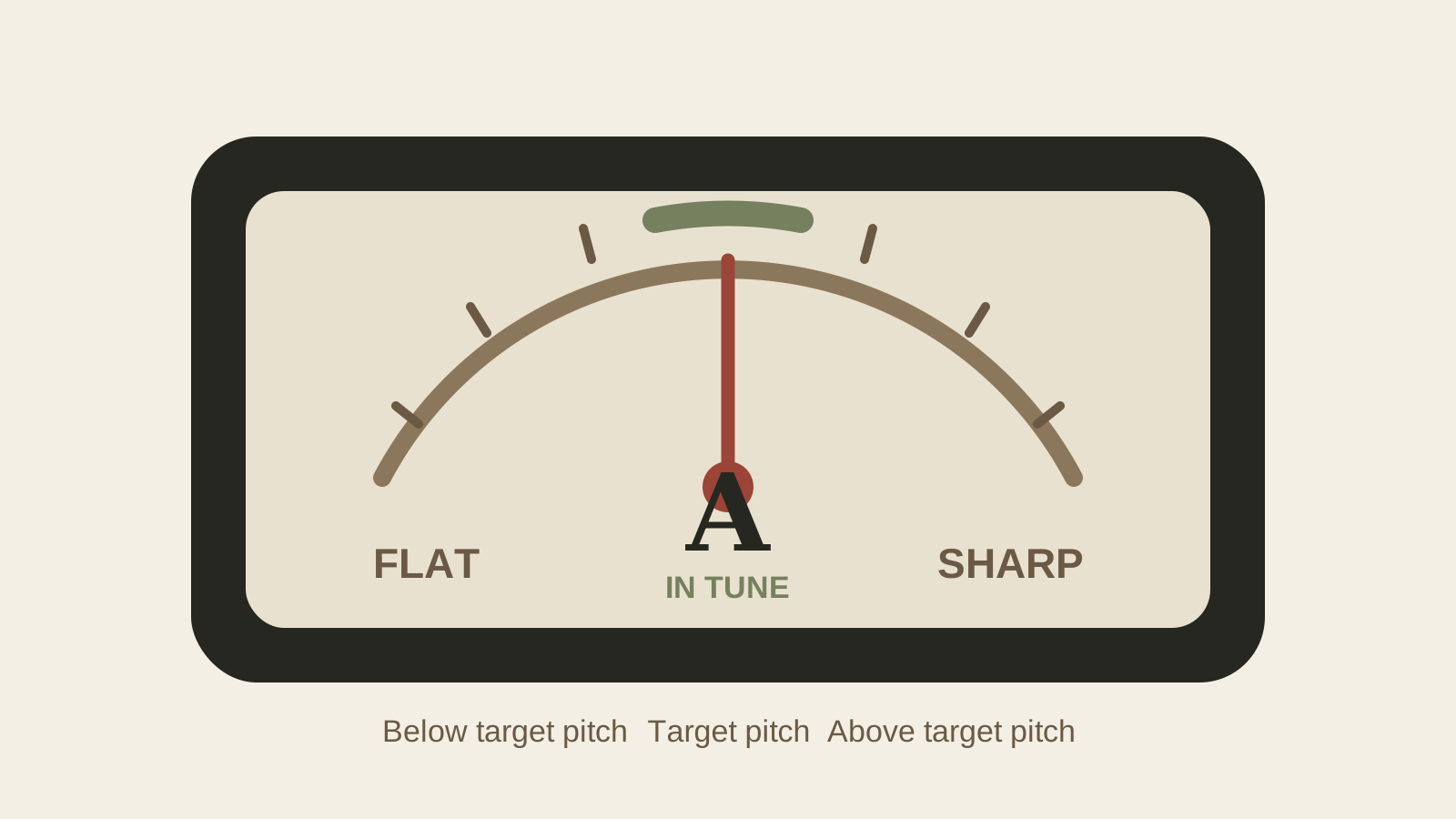
In a needle or cent-style display, flat means below the selected pitch and sharp means above it. A strobe pattern instead slows or stops near the target. The maker’s instructions define the indication. The standard-tuning guide identifies E2 through E4; this page concerns the reading, not a different pitch map.
A cent is one hundredth of an equal-tempered semitone, so an octave spans 1,200 cents. It is a frequency ratio, not a fixed number of hertz. A +5-cent difference means multiplying the target frequency by 25/1200. For an ideal twelve-tone equal-tempered example with A4 = 440 Hz, +5 cents gives about 441.27 Hz at A4 and about 82.65 Hz at E2 (whose target is about 82.41 Hz). These are rounded calculations, not instrument measurements.
Sources: BOSS TU-3 manual: signal routing, modes and meter display; Peterson StroboPLUS HDC manual: display, reference and preset distinctions; UNSW Physics: equal-tempered note frequencies and cents
Do not confuse a tuner with the guitar's tuning machines
The electronic tuner reports a pitch estimate. The tuning machine on the headstock changes string tension; a locking post retains a string at that post. The same word “tuner” is used for both devices, but a post clamp does not improve the electronic pitch reference.
If a sustained reading is stable and the note later drifts, record when it moves and which strings are affected. String seating, nut or guide friction, bridge return and hardware may need checking. The tuning-machine comparison addresses that mechanical system. Buying a more detailed meter is not a diagnosis of it.
Compare clip-on, pedal, app and strobe tuners
| Input or display choice | What reaches the tuner | What to check |
|---|---|---|
| Headstock clip sensor | Instrument vibration through the clip | Secure suitable contact, display view and finish-care instructions |
| Microphone app or device | Sound at the microphone | Quiet environment, microphone access and a clear sustained note |
| Cable-input pedal or device | Electrical signal from the instrument | Compatible output, correct cable route, power and mute behaviour |
| Strobe display | A display approach, not a separate input family | Available input, selected target/preset and the maker’s stop/flow indication |
Korg documents a piezo sensor in the Pitchclip 2’s clip; its manual covers headstock attachment and removing it after extended use. Fender’s app advice concerns microphone conditions, including quiet surroundings and a sustained note. Neither example proves that every product works equally well in every noisy room.
A pedal is silent only if the actual routing provides muting. For example, the TU-3 manual distinguishes its muted OUTPUT while tuning from its always-passing BYPASS jack. Check the exact unit and connection rather than assuming that every jack or bypass mode mutes the rig. The named products illustrate these differences; they are not a tested shortlist.
Sources: Korg Pitchclip 2: piezo sensor in the headstock clip; Korg Pitchclip 2 manual: headstock placement, display and reference; Fender Support: microphone environment and sustained notes; BOSS TU-3 manual: signal routing, modes and meter display
Read accuracy claims in context
| Term or setting | Meaning for this decision | What it does not establish |
|---|---|---|
| Reference A | The frequency assigned to A4 for the tuning system | That every string should read 440 Hz |
| Temperament, sweetener or transposition | How the selected target is mapped or offset | A measured mechanical repair |
| Display increment/resolution | How finely a result or setting is shown | The error of that result against a known reference |
| Maker accuracy specification | A stated closeness under the maker’s conditions | Our calibration certificate or a guarantee for every guitar note |
| Repeat observations | How a reading behaves using the same documented method | Proof that an unchanged digit is physically exact |
Peterson’s StroboPLUS HDC manual states 0.1-cent accuracy for its stabilised display. That is a model-specific maker claim, not a measurement we verified and not a reason to require every played note within that margin. Its reference, guided targets, sweeteners and transposition are separate settings.
Selecting a different reference value in these examples changes the target tuning. That setting is not evidence that the device was checked against a traceable frequency source. Confirm whether the tuner can use the reference your session requires: A4 = 440 Hz is a common convention, not a mandatory reference for every ensemble. A fixed-reference model and an adjustable one are different tools.
Sources: Peterson StroboPLUS HDC manual: display, reference and preset distinctions; Korg Pitchclip 2 manual: headstock placement, display and reference; UNSW Physics: equal-tempered note frequencies and cents
Use a repeatable six-string tuning method
- Identify the intended note and octave from the instrument’s tuning, with the capo state recorded.
- Record the tuner, input, reference A, mode and any offset or transposition. Confirm that these settings mean what you intend.
- Mute other strings. Use your normal playing position and one controlled pluck.
- Let the note sustain so the device can track it. Use small corrections under the tuning-machine instructions; stop for binding or unexpected resistance.
- Repeat the note with similar attack, then recheck the complete instrument. Do not chase every initial flicker.
Fender’s app guidance asks for a clean sustained note. Peterson suggests a gentle thumb or finger pluck for its strobe display, while Fender’s app suggests a pick if input is difficult. These are model/context suggestions, not proof that one picking tool is always more accurate.
Sources: Fender Support: microphone environment and sustained notes; Peterson StroboPLUS HDC manual: display, reference and preset distinctions
Why a guitar tuner reading jumps
| Observed problem | Next observation | Avoid assuming |
|---|---|---|
| Wrong note or octave | Confirm target, mode, actual string and competing sounds | That turning farther upward will find the right octave |
| Jumping microphone reading | Mute strings, reduce competing sound and repeat a sustained note | That the guitar hardware must be slipping |
| Clip display behaves poorly | Check permitted placement, power and the actual manual | That a tighter clamp is always appropriate |
| Cable path gives no useful reading | Check route, working cable, instrument output and tuner power | That the guitar must produce sound through a microphone |
| Stable reading, later drift | Record the event and recheck the same open string | That display precision repairs the string path |
Peterson explains that strong overtones can confuse automatic pitch selection; its manual mode is one model-specific way to select a known target. Check what the instrument should sound before changing modes or tension. Korg also identifies a depleted battery as a possible cause of erratic meter operation. An unstable display and a physically drifting note are different observations.
Sources: Peterson StroboPLUS HDC manual: display, reference and preset distinctions; Korg Pitchclip 2 manual: headstock placement, display and reference; Fender Support: microphone environment and sustained notes
Separate open-string tuning from intonation
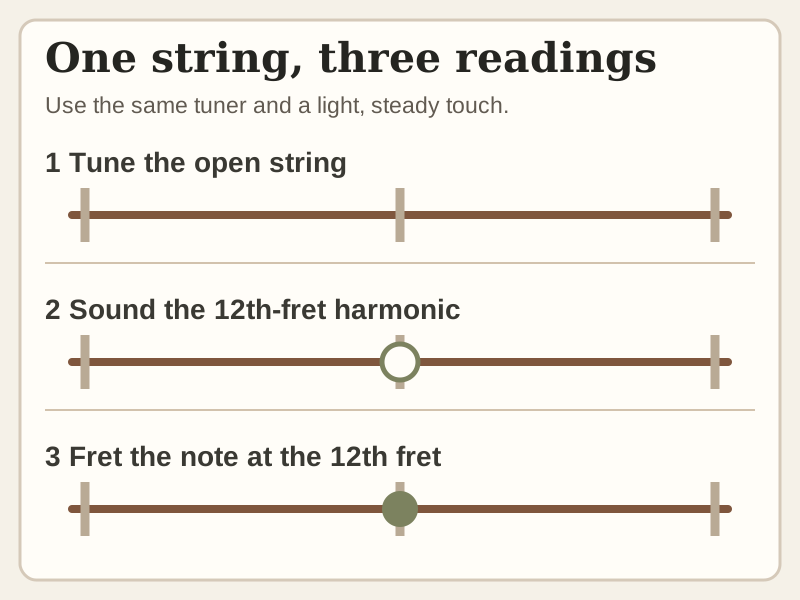
Open-string tuning asks whether the starting note matches its target. Intonation asks how fretted notes agree with their intended pitches. Fender describes comparing the 12th-fret harmonic with the lightly fretted 12th-fret note. Repeat under a consistent playing method; one matching octave does not certify every note or chord.
The step card is an observation sequence, not a scaled string drawing or a captured test. Strings, nut clearance, frets, action, pressure and bridge construction can affect the result. Use the intonation guide and the actual model’s instructions before adjusting hardware. A tuner does not tell you to cut a nut or reshape a fixed saddle.
Sources: Fender: harmonic and fretted-octave comparison, with limits
When this tuner advice changes
For alternate tunings, extended range or a capo, confirm both the required pitch range and the actual target notes. In standard tuning with a full capo at fret 2, the low E string’s sounding target becomes F♯2. A guitar-only mode may still expect an uncapoed E; a documented transposition setting may deliberately show a different label. Check the mode before changing tension.
Keep reference A, temperament and preset consistent with the musicians or track you are joining. A different reference is a different target system, not automatic evidence that a tuner is defective. If a correct note/octave, safe string choice or structural condition is uncertain, stop and get instrument-specific advice.
Sources: Peterson StroboPLUS HDC manual: display, reference and preset distinctions
Guitar tuner buying checklist
| Tuner trial record | Write down |
|---|---|
| Context | Instrument/tuning, room and intended use |
| Signal path | Microphone/clip/cable, actual placement or connection |
| Targets | Reference A, temperament/preset, transposition, note and octave |
| Reading | Repeat sustained observations with similar attack and unused strings muted |
| Decision | Display visibility, useful tracking, actual mute path and unresolved limitation |
This is a proposed user record. Test the input and readability you need before buying by claimed cent value alone. Check clip/finish guidance and power requirements in the actual manual. No comparative accuracy, noise or battery test has been performed here.
Conclusion: match the tuner to the signal path
Match the input to the instrument and environment, then verify the selected target and the display meaning. Record the conditions when a reading is unreliable. Distinguish that measurement problem from a string that later drifts or a fretted chord that disagrees; each calls for a different next check.
Frequently asked questions
Is a strobe tuner a different input type from a clip-on?
Strobe describes the display approach. A tuner can combine a strobe-style display with a clip, cable or other supported input. Check both the input and the display functions of the model.
Does a centred reading prove the guitar is in tune?
It indicates closeness to the selected target under the current mode and reference. Confirm the actual note and octave, repeat the reading, and check fretted-note problems separately.
Does “calibration 440” mean every guitar string should read 440 Hz?
No. It normally sets A4 as the reference for the system. Each guitar string has its own target frequency; changing the reference shifts those targets. A menu setting is not a laboratory calibration record.
Why do two tuners disagree?
First compare reference A, temperament/preset, transposition, mode, target octave and input conditions. If readings still differ, document them under the same method; that alone does not show which unit is accurate or identify a guitar repair.
Does a pedal tuner always mute the output?
Check the actual jack and mode. For example, the BOSS TU-3 manual distinguishes the OUTPUT that mutes while tuning from the always-passing BYPASS jack.
How this guide was prepared
This AI-assisted documentation review read the BOSS TU-3, Korg Pitchclip 2 and Peterson StroboPLUS HDC manuals, Korg’s sensor description, Fender’s app-input and octave-check guidance, and UNSW’s pitch-ratio equations. Named functions and the Peterson accuracy figure are manufacturer statements, not independently verified performance. The cent examples are ideal calculations rounded to 0.01 Hz; the input/target record is a proposed observation method. No tuner was calibrated against a reference, connected, timed or accuracy-tested; no guitar was played, tuned or repaired and no human expert review was performed. The retained display and step cards are schematic; the hero is an existing editorial illustration.
Documentation checked .
Separated input path from strobe display, distinguished target/reference settings from accuracy and resolution, added bounded cent arithmetic and a reading record, removed unsupported format rankings, and moved explanatory diagrams into the readable body.
Sources and further reading
- BOSS TU-3 manual: signal routing, modes and meter display
- Peterson StroboPLUS HDC manual: display, reference and preset distinctions
- UNSW Physics: equal-tempered note frequencies and cents
- Korg Pitchclip 2: piezo sensor in the headstock clip
- Korg Pitchclip 2 manual: headstock placement, display and reference
- Fender Support: microphone environment and sustained notes
- Fender: harmonic and fretted-octave comparison, with limits